NetPilot
NetPilot is the AI assistant in the VSN+ console, powered by an agent in IBM watsonx Orchestrate. This page covers setting it up and controlling it. For what users see, see What is NetPilot in the User Guide.
Only SuperAdmins can see and change these settings: System Settings → NetPilot.
How it works
- One NetPilot agent in watsonx Orchestrate answers every user of this orchestrator.
- When it needs network data, the agent calls back into VSN+ with the tools key. Every call runs as the user who asked, inside the tenant they selected and with their role's rights, so NetPilot can never show a user more than the console would.
- How-to answers come from the User Guide, the Admin Guide and the runbook, which the Documentation sync copies into the agent's knowledge bases.
- Passwords, keys and tokens are removed from conversations before VSN+ stores them, and from network data before it is sent to the agent. Other text is stored as written; personal data is filtered only by the agent's PII filter in watsonx Orchestrate (see Agent). Conversations are kept for 7 days after their last message.
- Tenant data a user asks about is sent to watsonx Orchestrate (Sydney region).
Connection

| Field | Description |
|---|---|
| NetPilot enabled | Shows or hides NetPilot for everyone. NetPilot is only on with an instance URL and an API key as well. |
| Tenant access | All tenants, or Only tenants with the ai_copilot feature flag, turned on per tenant in Global VSA (see Per-tenant switches). |
| watsonx Orchestrate instance URL | Your watsonx Orchestrate instance's API URL. Only IBM watsonx Orchestrate addresses are accepted. |
| IBM Cloud API key | Write-only: the page shows only its last characters. Enter it again whenever you change the instance URL. |
| Agent ID | The NetPilot agent in that instance. |
| Questions per user per hour | Each user's hourly limit (default 30). |
| Conversation lifetime (minutes) | How long a conversation may read network data (default 30). After that, the user's next question starts a new conversation. |
Click Save. Every API server uses the new values within 30 seconds. Until they are saved here, the values come from the API server's environment.
Use Test connection to check the setup: it signs in to watsonx Orchestrate, finds the agent, and runs one real data lookup for the tenant selected in the top bar.
Tools key
watsonx Orchestrate sends the tools key (as X-Copilot-Key) whenever NetPilot reads network data. Generate key creates it, and Replace key replaces it. The key is shown once, with a Copy button: put it in the agent's connection in watsonx Orchestrate straight away. Replacing the key cuts NetPilot off until the agent has the new one.
Agent
The Agent section appears once the connection is saved. Changes are saved to the agent in watsonx Orchestrate and apply to every user from their next question.
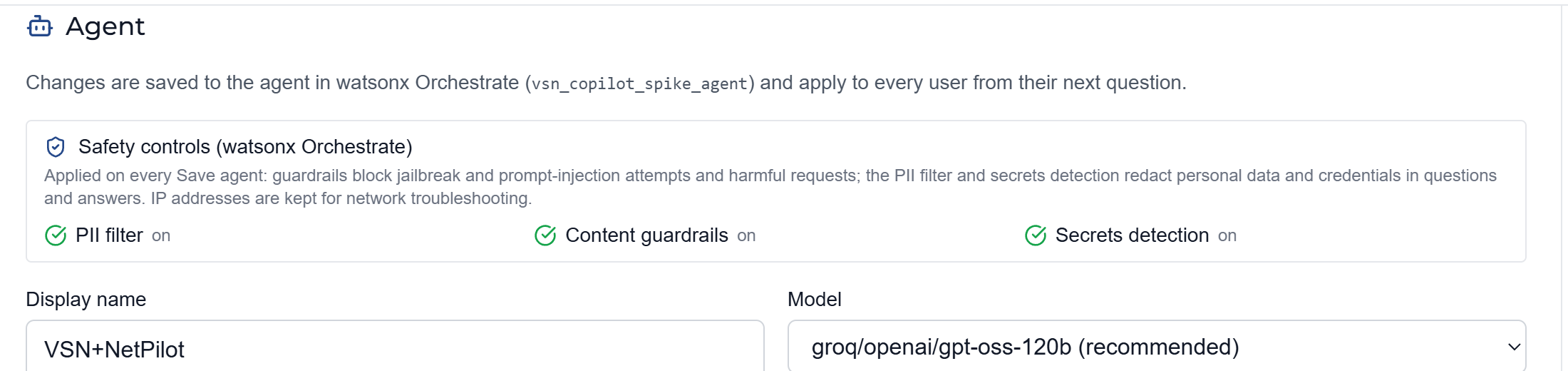
- Safety controls: applied on every Save agent. Guardrails block jailbreak and prompt-injection attempts and harmful requests. The PII filter and secrets detection redact personal data and credentials (IP addresses are kept, for troubleshooting). Each shows whether it is on, was changed in watsonx Orchestrate, or is not offered on this instance.
- Display name and Model: the model list marks the recommended one, and any that are deprecated or turned off on this instance.
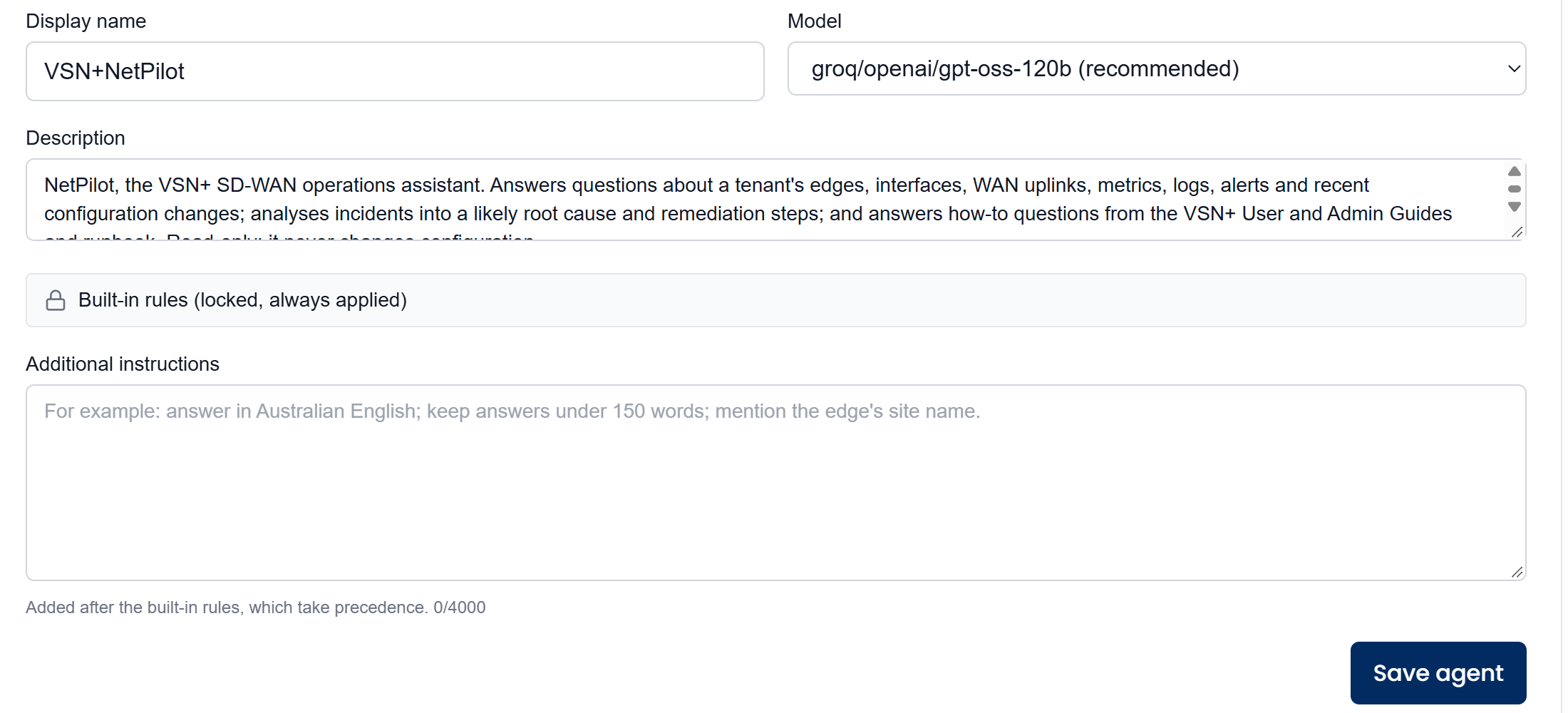
- Description: what the agent is for (up to 500 characters).
- Built-in rules: locked and always applied. They keep NetPilot to one tenant and read-only (it may only propose changes), treat text from tools and attached files as data rather than instructions, and set how it answers: short answers to simple questions, an incident report when asked to analyse a problem.
- Additional instructions: your own rules (up to 4,000 characters), for example "answer in Australian English". They are added after the built-in rules, which take precedence.
Click Save agent. As well as saving your changes, it re-applies the built-in rules and the safety controls, adds any NetPilot tools the agent is missing, and removes retired ones. The section warns you when the agent is out of step. Save agent fixes missing rules, missing or retired tools and the safety controls; a tool marked not imported must first be imported again into watsonx Orchestrate, with its connection.
Click Save agent after every VSN+ upgrade that changes NetPilot, so the agent gets the latest rules and tools.
Runbook
The runbook holds known problems and what to do about them. When an analysis matches an entry's signs, NetPilot follows the entry and names it in its answer.
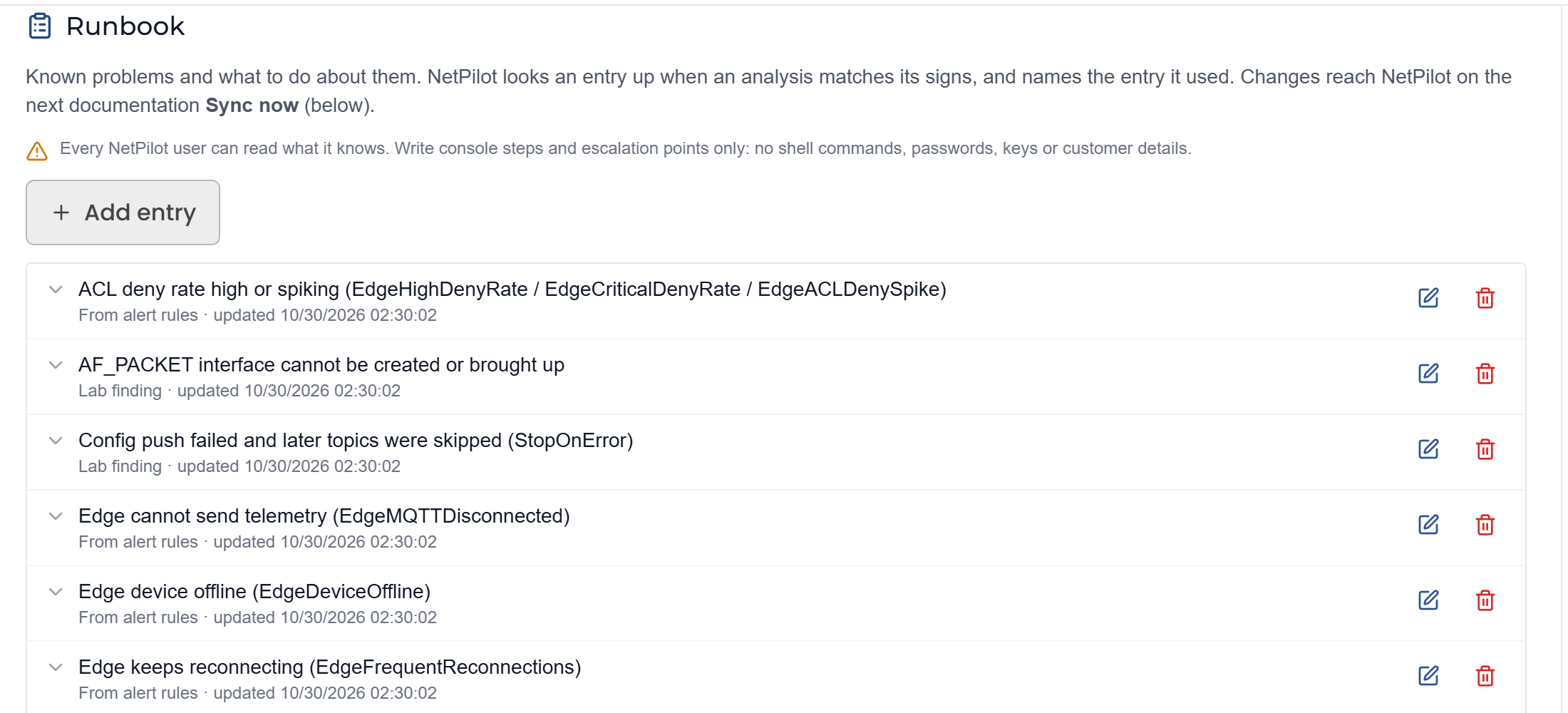
Each entry has:
| Field | Description |
|---|---|
| Title | A short name, for example the alert it matches. |
| Signs | What the problem looks like: alerts, log lines, symptoms. |
| Likely cause | What usually causes it. |
| What to do | The fix, as console steps. Leave it empty if no fix is known: NetPilot then escalates. |
| Confirm the fix | What to check afterwards. |
| When to escalate | When to stop and call for help. |
Entries come from the alert rules, from lab findings, or from admins (Add entry). Every NetPilot user can read what the runbook says, so write console steps and escalation points only: no shell commands, passwords, keys or customer details.
Changes reach NetPilot only after the next documentation Sync now; until then the runbook shows a not synced warning.
Documentation
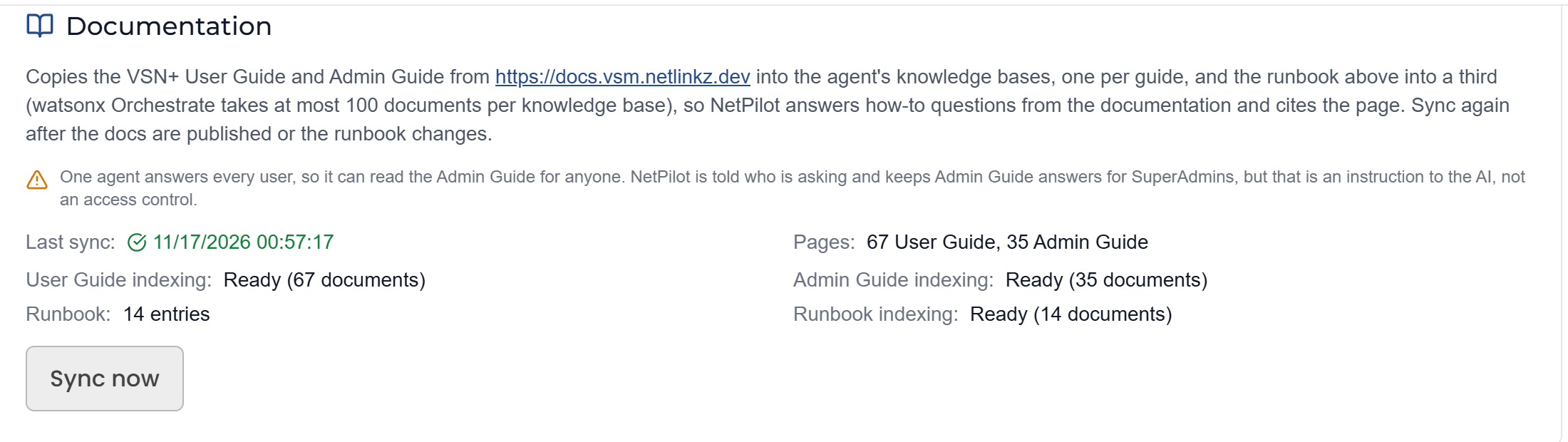
Sync now copies the published User Guide and Admin Guide from the documentation site into the agent's knowledge bases (one per guide), and the runbook into a third. NetPilot then answers how-to questions from them and cites the page. The card shows the last sync, the number of pages, and each knowledge base's indexing; indexing in watsonx Orchestrate takes a few minutes after the sync.
Sync again after the documentation is published or the runbook changes.
One agent answers every user, so it can read the Admin Guide for anyone. NetPilot is told who is asking and keeps Admin Guide answers for SuperAdmins, but that is an instruction to the AI, not an access control. Don't put anything in the Admin Guide or the runbook that a Tenant Admin must not see.
watsonx Orchestrate holds at most 100 documents per knowledge base; the sync stops with an error if a guide grows past that.
Edge checks
The Edge checks card shows whether NetPilot can run live checks on edges: the server's connection to the edges, how many edges support the checks, and which tenants have them turned on.
Checks run over SSH with a locked-down, read-only login on the edge. Users with the Update right can have NetPilot run ping, traceroute and DNS lookups; SuperAdmins can also get the edge's live status, interfaces, routes, WireGuard tunnels (keys hidden), services, resources and system log. Every check is recorded in the Activity log.
Per-tenant switches
Three NetPilot switches are set per tenant in Global VSA, on the tenant's page under Feature Toggles (see Feature Control). The orchestrator picks up a change on its next sync, within 5 minutes.
| Global VSA toggle | Default | What it controls |
|---|---|---|
| NetPilot (AI assistant) | On | Whether NetPilot answers this tenant's users. Only used when Tenant access is Only tenants with the ai_copilot feature flag. |
| NetPilot edge checks | On | Whether NetPilot can run live checks on this tenant's edges. |
| NetPilot config changes | Off | Whether NetPilot can propose static route and ACL changes on this tenant's edges, which users then apply in the console. |
SuperAdmins and Channel Admins can use NetPilot for the tenant they select, and Tenant Admins for their own tenant, in each case only when that tenant is allowed by Tenant access.