Asking NetPilot
Type your question in the box at the bottom and press Enter (Shift+Enter starts a new line). Answers usually take 10–20 seconds.
Good questions
Be specific: name the edge (or open NetPilot from its page), the time, and what you saw.
Status
- Which edges are offline?
- Give me a summary of this edge.
- What interfaces does this edge have, and are they up?
Performance
- Is the WAN on this edge healthy right now?
- How have latency and packet loss on Edge-HQ changed over the last 24 hours?
- Has CPU or memory on this edge been high today?
Logs, alerts and changes
- Show me the errors in this edge's logs from the last hour.
- What alerts has this edge raised this week?
- What changed in this edge's configuration recently?
How-to (answered from this documentation)
- How do I add a WAN uplink?
- How do I set up a peering between two edges?
Incident analysis
Ask why something happened, or use Analyze with NetPilot on an edge or alert (see Opening NetPilot). NetPilot gathers the edge's state, alerts, metric history and logs, and answers as a short report:
- What happened, with the evidence it found;
- Likely root cause, and how confident it is;
- Impact and severity;
- Remediation steps;
- Confirm the fix: what to check afterwards.
When a known problem matches, NetPilot follows your platform's runbook entry for it and says which one it used.
Data used
Every answer that looked at your network has a Data used line. Click it to see what NetPilot read, so you can check the answer yourself.
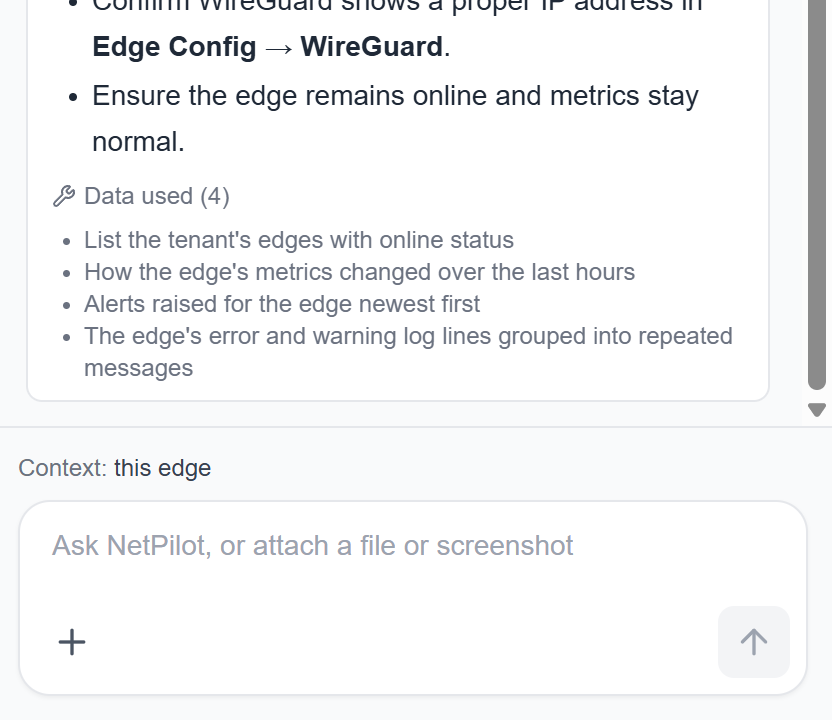
Live edge checks
When your tenant has edge checks turned on, NetPilot can run a check on the edge itself to confirm what the data suggests, for example:
- Can this edge reach 8.8.8.8? (ping)
- Trace the route from this edge to 1.1.1.1. (traceroute)
- Can this edge resolve example.com? (DNS lookup)
Ping, traceroute and DNS lookups need the Update right. SuperAdmins can also ask for the edge's live status, interfaces, routes, WireGuard tunnels, services, resources and system log.
Each check NetPilot runs is shown under its answer ("NetPilot ran ping on Edge-HQ") and recorded in the Activity log. NetPilot is told to keep to a few checks per answer. Checks need an edge running a recent agent; NetPilot tells you when an edge can't run one.
Attaching files and screenshots
Click + next to the message box, or drop files on it, to attach up to 3 files to a question, for example a log export or a screenshot of an error.
- Text:
.txt.log.csv.tsv.json.yaml.yml.xml.conf.cfg.ini.md - Documents:
.pdf.docx.xlsx.pptx(up to 5 MB) - Images:
.png.jpg.jpeg(up to 5 MB)
NetPilot reads the text in an image, not the picture itself, so a screenshot of an error message works but a diagram may not. Long files are cut to their first 50,000 characters. Files are not stored.
Your conversations
NetPilot remembers the conversation, so you can ask follow-up questions ("and what about yesterday?"). Click New conversation to start afresh; changing the tenant also starts a new one.
Click Your conversations in the header to see your past conversations for the selected tenant. Click one to read it again, or the bin icon (twice) to delete it.
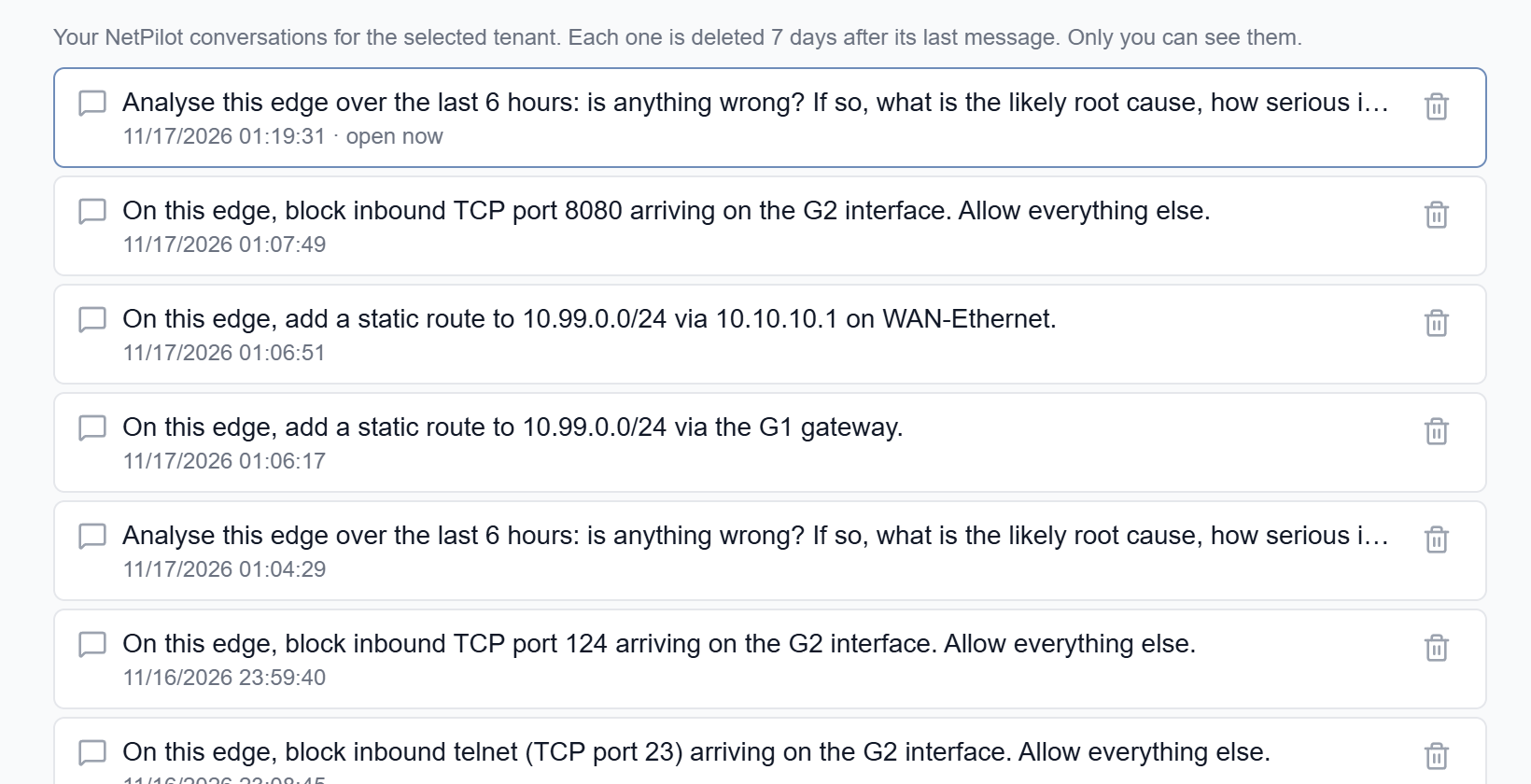
- Each conversation is deleted 7 days after its last message. Only you can see yours.
- A recent conversation carries on where you left it. An older one opens read-only: the console says so, and your next question starts a new conversation without the earlier messages.
- A conversation can read network data for a limited time (30 minutes by default). After that, the console starts a new one and says so.
Limits
- Each user can ask a limited number of questions an hour (30 by default, set by your platform administrator). NetPilot tells you when you reach it.
- A question can be up to 2,000 characters.
- Wait for an answer before sending the next question in the same conversation.
If an answer looks wrong
NetPilot is an AI and can be wrong. Check the Data used, look at the edge in the console, and ask a follow-up question ("Where did you see that?"). If a question is blocked by the safety controls, the conversation ends: start a new one and rephrase the question.