Static Routes with NetPilot
NetPilot can propose adding, changing or removing an edge's static routes. You apply the change on its card: see Changing Configuration with NetPilot for how proposals work and the rights you need (Create to add a route, Update to change one, Delete to remove one).
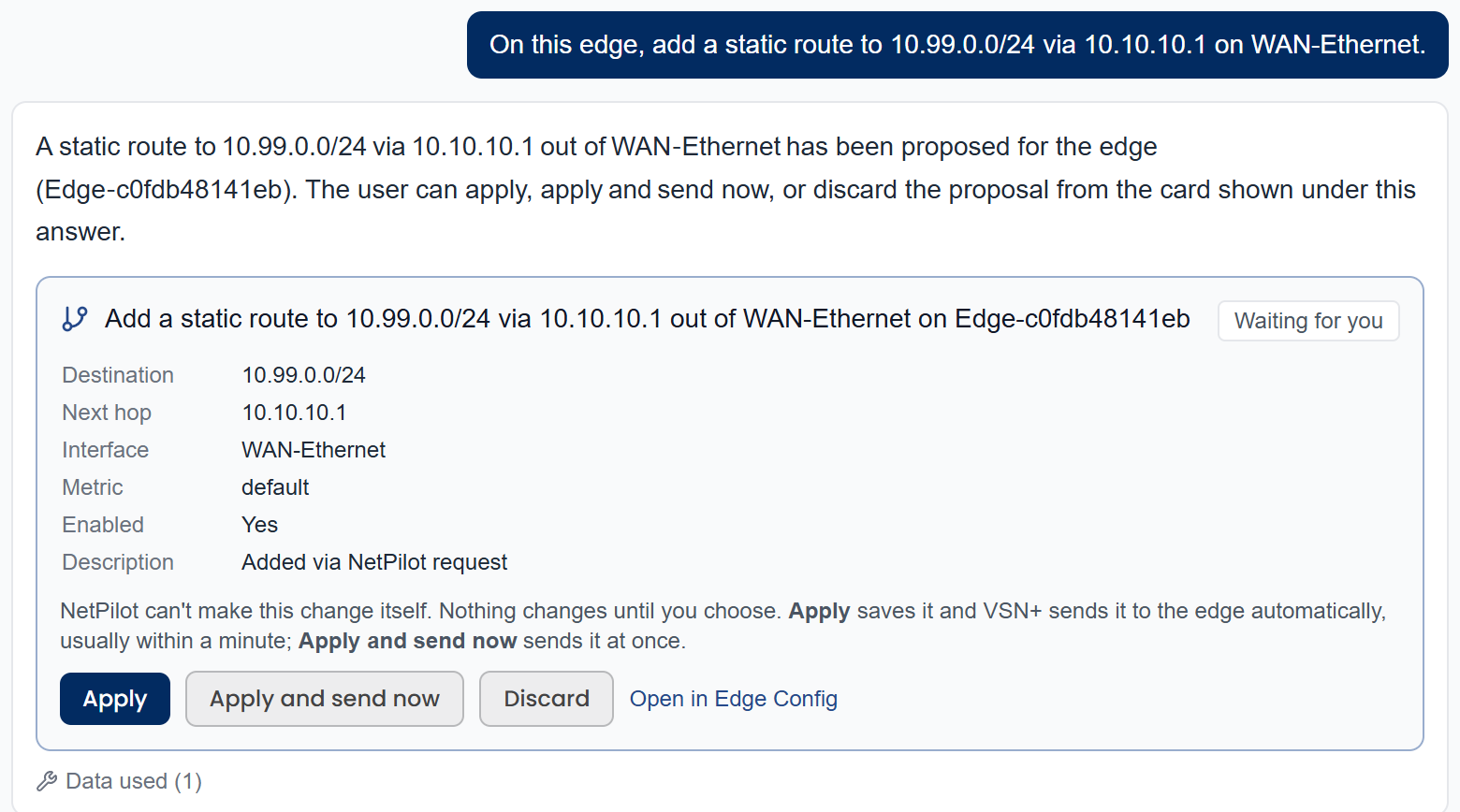
Add a route
- Add a static route to 10.20.0.0/16 via 10.10.10.1 on this edge.
- On Edge-HQ, route 192.168.50.0/24 via 10.10.10.1 out of the WAN interface with metric 10.
- Add a route to 172.16.8.0/22 through the wg2 peering tunnel.
Change a route
- Change the route to 10.20.0.0/16 on this edge to use next hop 10.10.10.254.
- Set the metric of the 192.168.50.0/24 route to 20.
Remove a route
- Remove the static route to 10.20.0.0/16 on this edge.
Tips
- Give the destination as a network in CIDR form:
10.20.0.0/16, not10.20.1.5/16. - The next hop must be reachable from that interface (for example, the WAN's gateway).
- The interface is optional; name it when the route should leave by a specific one. Use the interface name shown in Edge Config → Static Routes (a logical interface such as WAN-Ethernet, or a peering tunnel such as wg2), not the physical port (G1). If you use a name the edge doesn't have, the console shows Not proposed with the names it does have.
- Not sure what's there? Ask "What static routes does this edge have?" first.
Making it in Edge Config instead
Anything NetPilot won't propose, and any change while configuration changes are turned off for your tenant, can be made by hand: see Static Routes in Edge Configuration.